Step-by-step guide
How to create a QR code menu for your restaurant
The square is the easy part. What decides whether guests actually use it is the page behind it, the size you print it at and where it sits on the table. Here is the whole process, including the free route, and the six mistakes that quietly kill scans.
- Works with the menus you already print
- No app for guests
- About 30 minutes
The six steps
From a printed card to a code guests can scan
- 1
Put your menu on a web page first
A QR code is only a shortcut to a link, so the link has to exist before the code does. Photograph or export your food, drinks and dessert menus and publish them as a mobile web page with a stable address, for example yourvenue.example/menu. Avoid pointing the code at a PDF: guests get a document they must pinch and zoom, and you cannot change a price without regenerating the file.
- 2
Generate the QR code from that link
Paste the menu URL into any QR generator and export at the largest size offered, ideally SVG or a PNG of at least 1000 px. Use a static code, never a free trial 'dynamic' code that expires - if the service switches it off, the sticker on your table becomes a dead end. Keep the URL short so the code stays coarse and scans fast in low light.
- 3
Test it before you print anything
Scan with an old Android and a recent iPhone, on mobile data rather than the venue Wi-Fi, from a seated distance of roughly 40 cm, and once in evening light. Check the menu opens in under two seconds and that prices, sections and allergens are all readable without zooming.
- 4
Print it at the right size with a clear instruction
A table code should be about 3-4 cm across with a quiet white margin all around, on matte stock so candlelight does not blow it out. Add one line of text such as 'Scan for the menu' - codes without a label get ignored. Laminate or use vinyl stickers; paper codes die within a fortnight of wine and wiping.
- 5
Place it where a seated guest can reach it
Table tents, tabletop stickers, the corner of a placemat, the window for passers-by, and the bar top. One per table minimum, two on tables for six. Keep a handful of printed menus for guests without a phone - in several EU markets refusing any non-digital option is a complaint waiting to happen.
- 6
Keep it current, and let it do more than paper
The advantage over print is that the link is editable: sold-out dishes, seasonal prices and new specials change in seconds. This is also where a digital menu overtakes a PDF - it can translate itself into the guest's phone language, carry the 14 EU allergens per dish, and show a photo of every plate.
Avoid these
Six mistakes that stop guests scanning
Linking to a PDF
Pinch-to-zoom on a phone is the single fastest way to lose a guest. Link to a responsive page.
Using an expiring dynamic code
Free 'dynamic' codes often stop resolving after a trial. Your table sticker outlives the trial.
Printing it too small
Under about 2.5 cm, cameras struggle in restaurant lighting. 3-4 cm with a white margin is the safe range.
No label under the code
Guests do not scan unlabelled squares. 'Scan for the menu' measurably lifts scans.
Forgetting allergens
Going digital does not remove the EU 1169/2011 duty to document the 14 named allergens per dish.
One code for everything, buried
A code taped to the door does nothing for a seated table. Put one within arm's reach of every seat.
Doing it yourself vs Qarta
Where the free route stops being free
You can absolutely follow the six steps above with a free generator and a hosted page, and for a small fixed menu that is a perfectly good answer. It stops working when the menu changes weekly, when half your tables read a different language, or when the allergen record has to be accurate in all of them at once.
Free generator + your own page
- You type and maintain every dish by hand
- One language, unless you write the others yourself
- Allergens are a separate document you must keep in sync
- You print and reprint the stickers
- No dish photos unless you shoot them
Qarta
- Photograph your printed menus and they are transcribed for you
- 30 languages, opening in the guest's own phone language
- All 14 EU allergens carried per dish, translated with it
- Printed QR table stickers and staff training in the setup
- Phone snapshots polished into menu-ready photos
EUR 39.90 per month per venue plus a one-off EUR 149 setup.
The part a generator cannot do
Your waiter's snapshot, ready for the menu.
A QR code can only show the photos you have. Qarta takes the thirty-second phone shot from the pass and corrects the lighting, white balance and background - the food, the portion and the plate stay exactly as they were served.
- Lighting, white balance and shadows corrected
- Cluttered table replaced by your chosen ambience
- Food, portion and plate left untouched
- The original photo is always kept
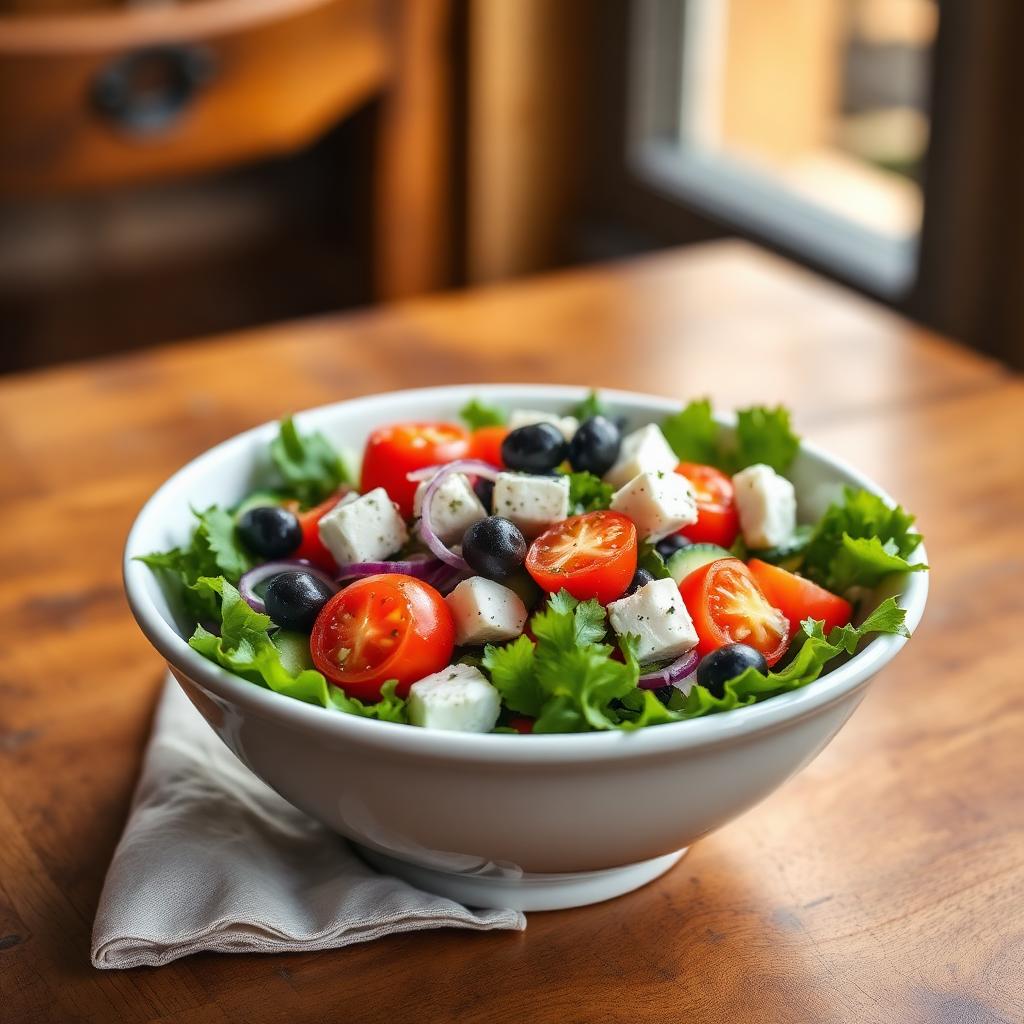
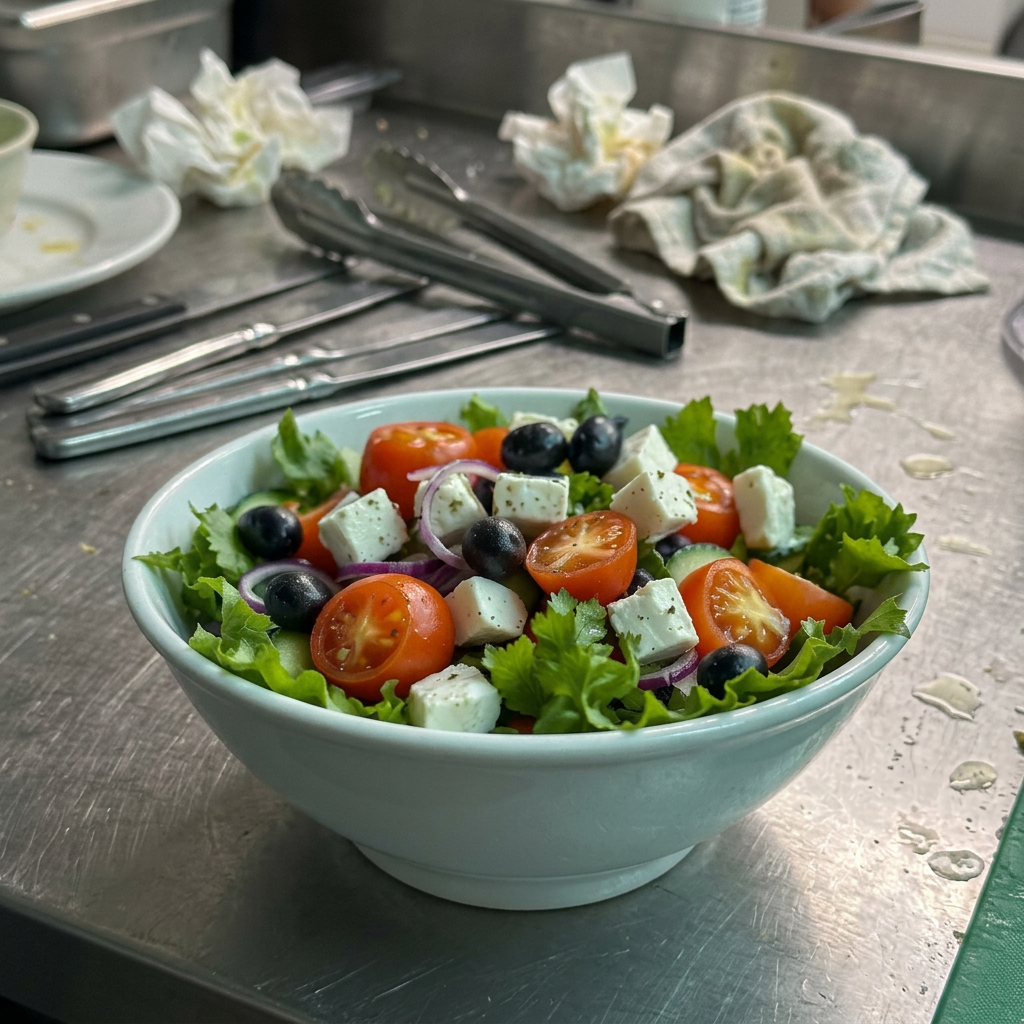 Phone snapshot Polished by Qarta
Questions
QR code menu questions, answered
- How do I create a QR code for a menu?
- Publish your menu as a mobile web page, copy that page's address, paste it into a QR generator, export the code at 1000 px or as SVG, test it on two different phones over mobile data, then print it at 3-4 cm with a 'Scan for the menu' label and place one on every table.
- Can I create a QR code menu for free?
- Generating the code itself is free - the code is just an encoded link, and nobody can charge you for the square. What costs money is the menu behind it: hosting a page that stays online, editing prices without a developer, and keeping translations and allergens accurate. Free generators that also host your menu usually pay for themselves with ads, expiring links, or a paid tier you eventually need.
- Should the QR code point to a PDF of my menu?
- No. A PDF opens as a document the guest has to zoom and drag around, it is slow on mobile data, and every price change means regenerating and reprinting the file. Point the code at a responsive web page instead, so the menu reflows to the phone and you can edit it in place.
- What size should a restaurant QR code be printed?
- Roughly 3-4 cm across for a tabletop code, with a clear white quiet zone around it and no design elements crossing the pattern. Window and A-board codes scanned from a metre or more should be 8-10 cm. Below about 2.5 cm, scanning in dim evening light becomes unreliable.
- Do QR code menus still need allergen information?
- Yes. The format of the menu changes nothing about the legal duty. EU Regulation 1169/2011, which applies in Malta and across the EU, requires information on the 14 named allergens to be available in writing for every non-prepacked dish. A digital menu is actually the easier place to keep that record, because a recipe change updates every language at once.
- How do I make my QR menu work for tourists who do not speak my language?
- The menu page has to detect the phone's language and open in it. Qarta ships 30 languages, keeps dish names in the original language so lampuki stays lampuki, and lays Arabic and Hebrew out right to left, so a German or Japanese guest reads the same menu you edited once.
- How long does it take to set up a QR code menu?
- The code takes two minutes. Getting your three printed menus - food, drinks, desserts - accurately into a digital page is the real work. With Qarta you photograph the printed cards, the transcription is done for you, you confirm the prices, and printed table stickers arrive as part of the EUR 149 setup.
Skip the six steps - we set the whole thing up
Photograph your printed menus and we handle transcription, 30 languages, allergens and the printed table stickers.